Employee Preparedness Benefit

Give employees practical support for the personal crises that affect work, family, and peace of mind.

The Personal Continuity Planning™ (PCP) System helps employees organize critical information, prepare for disasters, and make legacy and end-of-life decisions through one self-paced, privacy-conscious resource library.

Employers provide access. Employees download, complete, and control their own planning files.

No phone number required. See the system, sample resources, privacy model, and pilot options.

Are you a private individual looking for our consumer site? For You & Your Family →

Why organizations offer PCP

A practical benefit designed for employees — and manageable for HR

Practical employee support

Give employees a structured way to prepare before an emergency, major life event, or family transition.

Low administrative burden

Launch PCP with a simple access process, ready-to-use communications, and self-paced employee participation.

Clear personal-data boundaries

BePrepared.biz does not collect or store the personal information employees enter into downloaded planning files.

Colleagues talking and collaborating around a table in an office

Photo: Vitaly Gariev / Unsplash

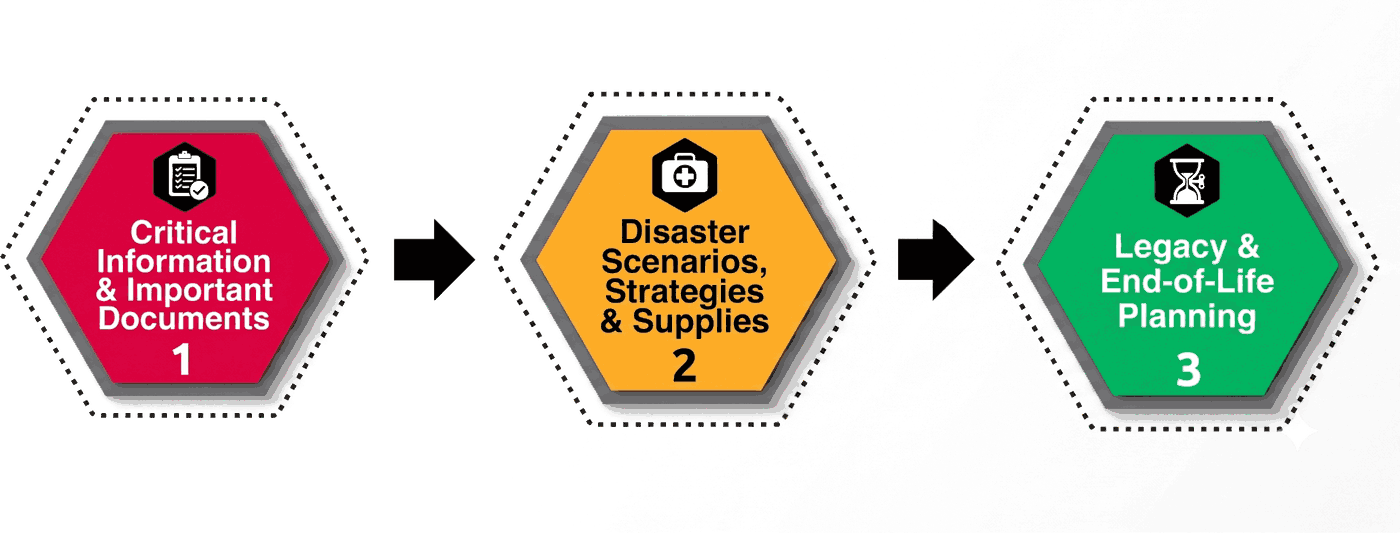
One system. Three connected phases.

Employees can start with the need that matters most — and continue at their own pace.

Three-phase Personal Continuity Planning system: Critical Information & Important Documents, Disaster Scenarios Strategies & Supplies, Legacy & End-of-Life Planning

Critical Information & Important Documents

Help employees organize essential contacts, accounts, documents, and instructions their household may need during a crisis.

Disaster Scenarios, Strategies & Supplies

Practical guidance for the Big Five natural disasters — earthquake, flood, hurricane, tornado, wildfire — plus 72-hour supplies checklist.

Legacy & End-of-Life Planning

Guide the issues, decisions and instructions Self-Planners and Survivors/Helpers face before and after death.

How organizations use PCP

A straightforward rollout with employee-controlled planning files

01

Sponsor access

The organization provides eligible employees access to the PCP resource library.

02

Employees choose a starting point

Each employee explores the three phases and downloads the resources most relevant to their household.

03

Employees complete files privately

Completed files are saved where the employee chooses and shared only with people the employee selects.

04

BePrepared.biz supports continued use

Launch materials, practical guidance, reminders, and updated resources help employees continue preparedness updates over time.

Privacy statement: BePrepared.biz stores the account and access information needed to provide the service. It does not collect or store the personal information employees enter into downloaded planning files. Employers do NOT have access to employees' completed files.

See what employees receive

A guided resource library — not an online vault

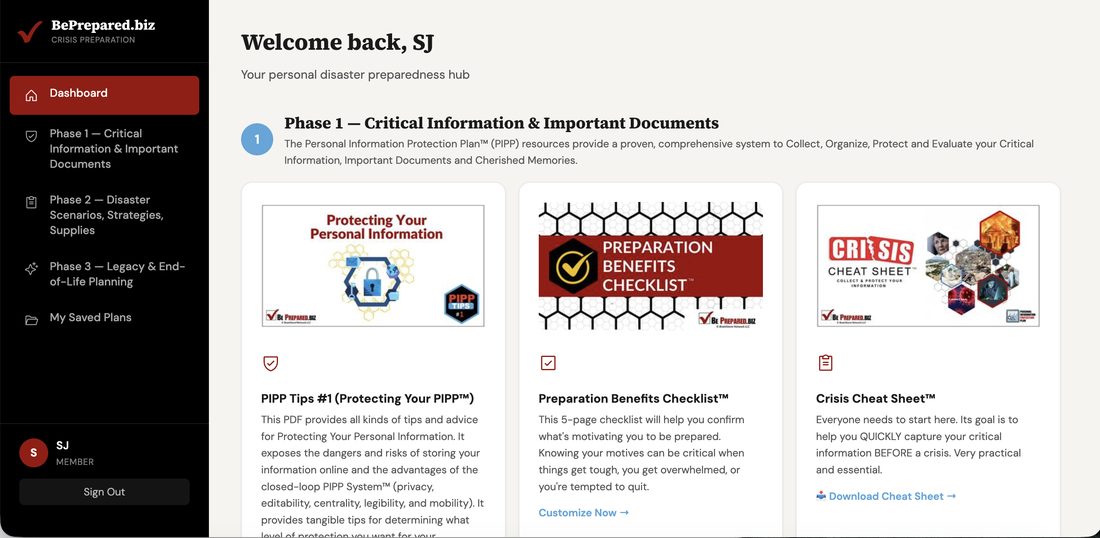
Employees use their personal account to locate and download editable resources. They complete and store those files on their own devices or in another location they choose.

BePrepared.biz Phase 1 resource library screen, showing PIPP Tips, the Preparation Benefits Checklist, and the Crisis Cheat Sheet

Phase 1 resource library — employees browse and download the resources most relevant to them.

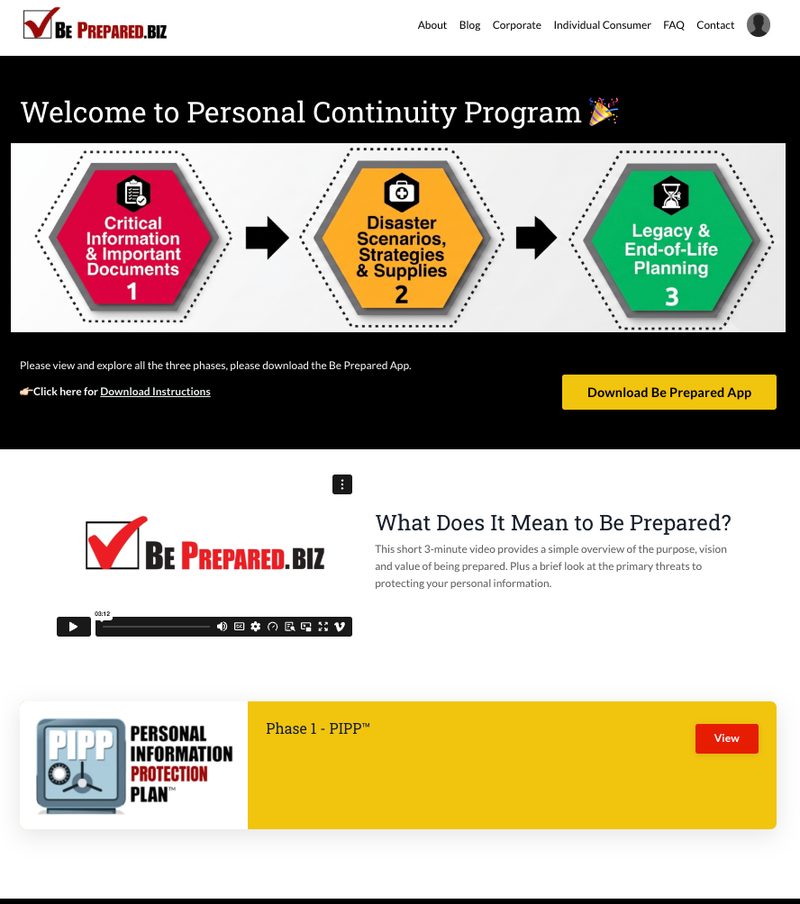
BePrepared.biz welcome screen showing the three-phase orientation flow and an introductory video

Program orientation — a short welcome video introduces the three phases before employees dive in.

See representative samples in the Corporate Preview Packet →

BePrepared app icon Desktop app · v0.1.0

The BePrepared desktop app

Your preparedness hub. On your device, under your control.

Create one encrypted .bpvault for your household, then work through critical information, disaster plans, supplies, and legacy planning without sending your private answers to our servers.

Early unsigned build. macOS may show an unidentified-developer warning; right-click the app and choose Open. Windows may show SmartScreen; choose More info → Run anyway. Review the v0.1.0 release notes before installing.

Alternate installers: Windows MSI · Linux DEB · Linux RPM · all release files

Evaluate PCP without scheduling a sales call

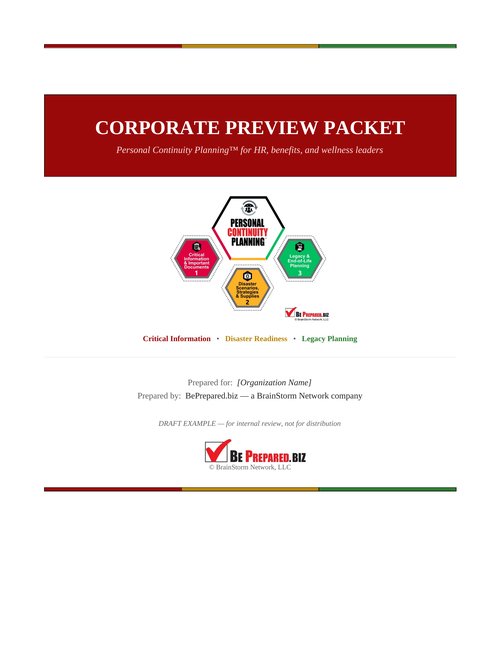
Get a concise Corporate Preview Packet for HR, benefits, wellness, and organizational leaders

Review the system, employee experience, privacy model, and rollout options on your own schedule.

  • Executive overview of the employee need and PCP approach
  • One-page map of the three-phase system
  • Representative sample pages from each phase
  • What employees see, download, complete, and control
  • Clear privacy and data-boundary explanation
  • Pilot and broader rollout options
Corporate Preview Packet cover

Email me the Corporate Preview Packet

No phone number required.

By requesting the packet, you agree to receive the packet and occasional information from BePrepared.biz. You may unsubscribe at any time. Privacy Policy.

Video thumbnail: What is Personal Continuity Planning?

What is Personal Continuity Planning? · Personal Continuity Planning in 90 Seconds

Frequently asked questions

Frequently asked questions

Can our organization see what employees complete?

No. BePrepared.biz hosts the resource library only. Employers do NOT have access to employees' completed files, and BePrepared.biz does not collect or store the personal information employees enter into their downloaded planning files.

What does this cost our organization?

Pricing is based on eligible headcount and is typically structured as an annual sponsorship, similar to an EAP or wellness benefit. Request the Corporate Preview Packet for current pricing and a sample rollout timeline.

How long does it take to roll out to our team?

Most organizations are live within two to three weeks. There is no software to install — access is provisioned through a single sign-on link or a simple access code that employees use to reach the resource library.

Is this only for individuals, or can employees use it for their families too?

The same three-phase PCP system works for households as well as organizations. Employees can use their access to build a plan for their entire family, not just themselves.

What happens to an employee's access if they leave the company?

Completed files belong to the employee and are saved wherever they chose — not on BePrepared.biz or company servers — so nothing is lost when employment ends. Access to the library itself follows your organization's sponsorship terms.

Evaluate PCP on your own schedule.

Our mission is to help people Be Prepared for life's crises.